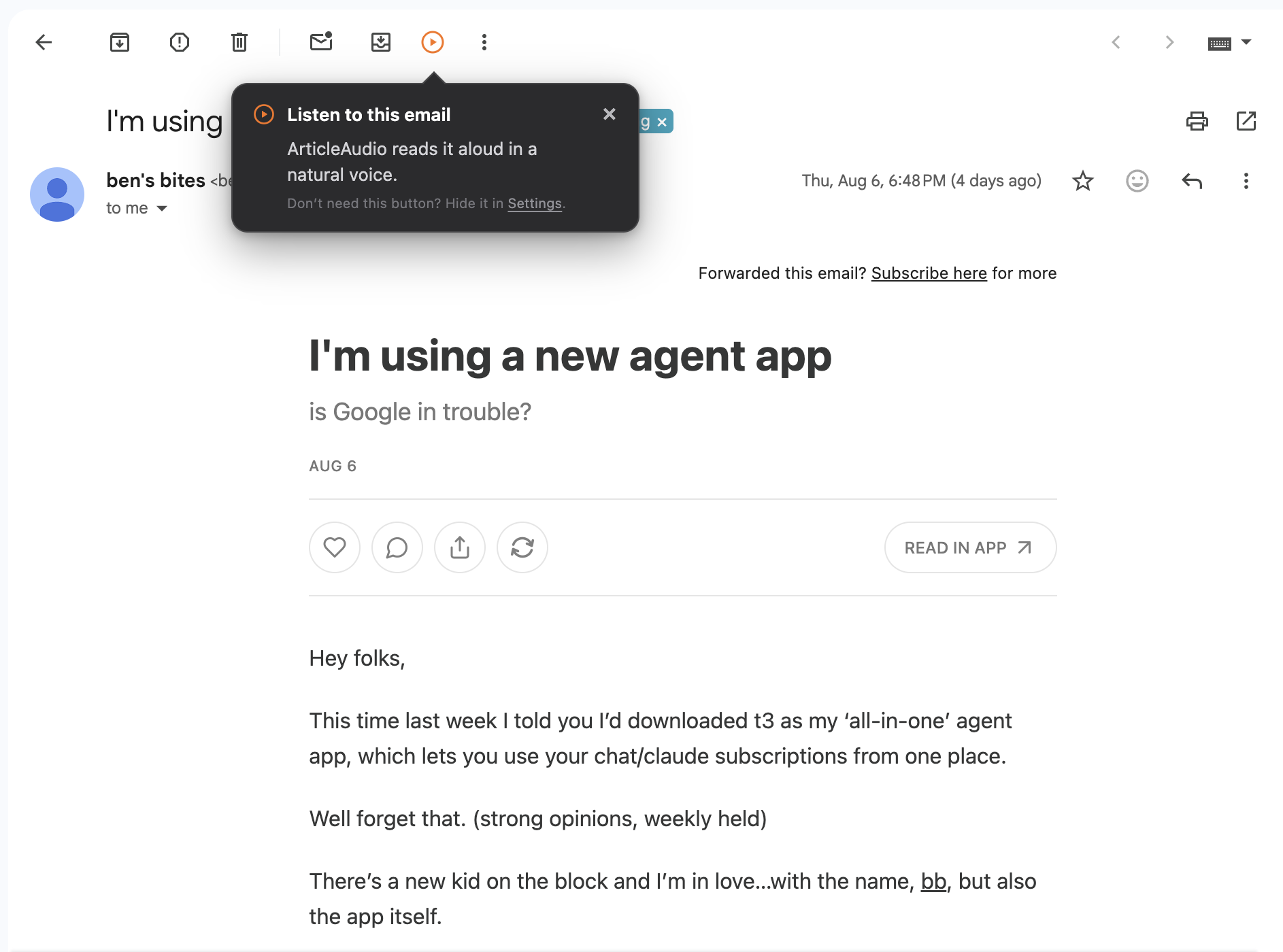
Option 1 — Custom Gmail helper
Open the email. Click listen.
ArticleAudio adds its own play button to the Gmail toolbar. Open a newsletter, long email, or thread and click once to hear the visible message content—no highlighting required.
Turn newsletters, long emails, and conversation threads into natural-sounding audio. Use ArticleAudio’s custom Gmail helper for one-click listening, or select just the passage you want to hear.
1,000 words free. No credit card required.
Two ways to listen
The custom helper makes full-email listening fast. Text selection gives you precise control.
Option 1 — Custom Gmail helper
ArticleAudio adds its own play button to the Gmail toolbar. Open a newsletter, long email, or thread and click once to hear the visible message content—no highlighting required.
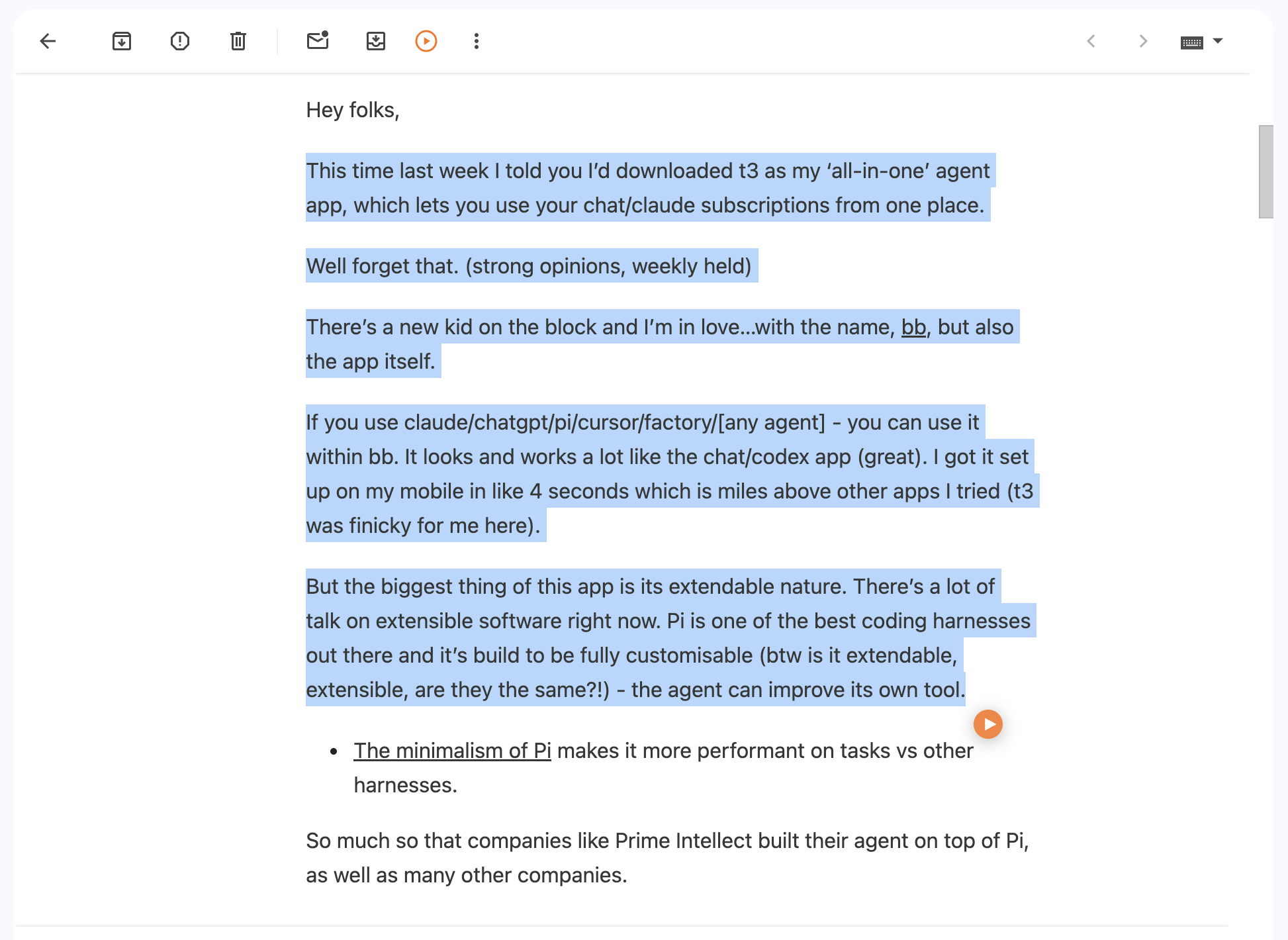
Option 2 — Select text
Highlight a paragraph or section, then click the orange play button, press Shift+Tab, or use the right-click menu.

Great content, but not always convenient to read
Thoughtful newsletters are worth reading, but the longer they are, the easier they are to leave unopened for later.
Detailed updates, reports, and email threads demand your eyes even when you could be listening while doing something else.
When an email is dense, it is easy to jump past context, action items, or a sentence that changes the meaning.
Your commute, a walk, or household chores can be good catch-up time—but not if every email needs your full visual attention.
Turn any Gmail content into natural-sounding audio
ArticleAudio adds a dedicated listen button to Gmail. Open a message or thread, click the helper, and hear the visible email content without selecting it first.
Highlight one paragraph, a key section, or part of a newsletter when you do not want the entire email read aloud.
Turn long-form writing delivered to your inbox into natural-sounding audio for walks, commutes, and chores.
Adjust playback speed to move quickly through routine updates or slow down when an email needs more attention.
Listen to Gmail content in situations where reading isn't practical
Install ArticleAudio, open Gmail in Chrome, and open the email or thread you want to hear. Click the ArticleAudio helper in the Gmail toolbar to listen without selecting text first.
It is a dedicated ArticleAudio listen button added to Gmail’s message toolbar. It gives you a one-click way to play the visible content in an open email or thread, which is especially useful for newsletters and long emails.
Yes. Select the passage you want to hear, then use the orange play button, press Shift+Tab, or choose ArticleAudio from the right-click menu.
Yes. Open the newsletter in Gmail and use the custom helper for the visible email, or select a specific section if you only want to hear part of it.
The Gmail helper focuses on the visible message content and leaves out hidden or quoted email history when Gmail marks it as such. You can also select a specific passage for precise control.
The free tier includes 1,000 words. For longer newsletters, email digests, and regular listening, premium is available for $5/month.
Install ArticleAudio and transform how you consume content on the web