 ArticleAudio
Listen to Notion Pages
Turn notes, docs, and knowledge-base pages into natural audio. Review your work hands-free, catch up on saved research, or give your eyes a break.
 Add to Chrome - It's Free
 1,000 words free. No credit card required.
How it works
Step 1 — Select text
Select the paragraphs or blocks on the Notion page that you want to hear.
Step 2 — Listen
Use any of these options to start listening:
Option 1
Play button
Appears near your selected text when you highlight 30+ words
Option 2
Keyboard shortcut
 shift +
  tab
tabOption 3
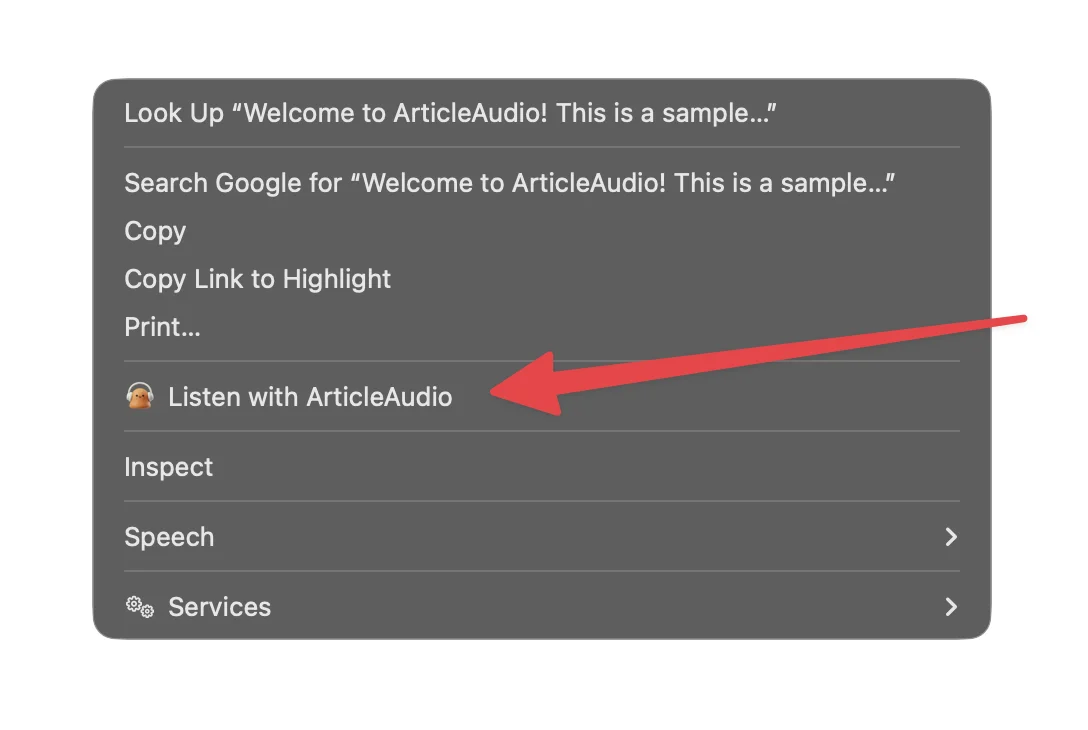
Right-click menu
The Problem with Reading on Notion
Great content, but not always convenient to read
Long pages demand more screen time
Project docs, research notes, and knowledge bases can take a long time to read when you are already at your screen all day.
Saved notes pile up
Useful pages are easy to save in Notion, but finding quiet time to return and read them is harder.
Reviewing drafts is tiring
Reading your own writing on screen makes it easy to skim past awkward sentences, missing words, and unclear ideas.
Reading does not fit every moment
A Notion page needs your eyes and attention, even when you could be learning during a walk, commute, or household task.
How ArticleAudio Helps
Turn any Notion content into natural-sounding audio
Turn Notion pages into audio
Select the text you want to hear, press Shift+Tab, and ArticleAudio reads it in a natural-sounding voice.
Listen to private workspace content
If a page is visible to you in the browser, ArticleAudio can read the text you select without making that page public.
Proof-listen to your own writing
Hear docs, briefs, and drafts aloud to catch phrasing that is easy to miss when reading silently.
Control the listening pace
Speed up familiar notes or slow down dense material with adjustable playback speed.
Perfect For
Listen to Notion content in situations where reading isn't practical
Frequently Asked Questions
Does ArticleAudio work with Notion pages?
Yes. Open the Notion page in Chrome, select the text you want to hear, and press Shift+Tab to start listening.
Can it read private Notion pages?
Yes, as long as you are signed in and can view the page in your browser. ArticleAudio reads the text you select; it does not make the page public or bypass workspace permissions.
Can I listen to only part of a page?
Yes. Select a paragraph, a group of blocks, or the section you want to review. This is useful when a page also contains tables, embeds, or other content you do not want read aloud.
Does it work with notes, docs, and wiki pages?
Yes. ArticleAudio works with readable text on Notion pages, whether you use Notion for notes, project documentation, study material, or a team wiki.
Will ArticleAudio read database properties and tables?
ArticleAudio reads the text you can select. For databases and dense tables, select only the property values or written sections you want to hear for the clearest result.
Is there a listening limit?
The free tier includes 1,000 words. For longer notes and knowledge bases, premium is available for $6/month.
Start listening today
Install ArticleAudio and transform how you consume content on the web
 Add to Edge
  Add to Firefox
  Add to Opera