 ArticleAudio
Read ChatGPT Responses Aloud
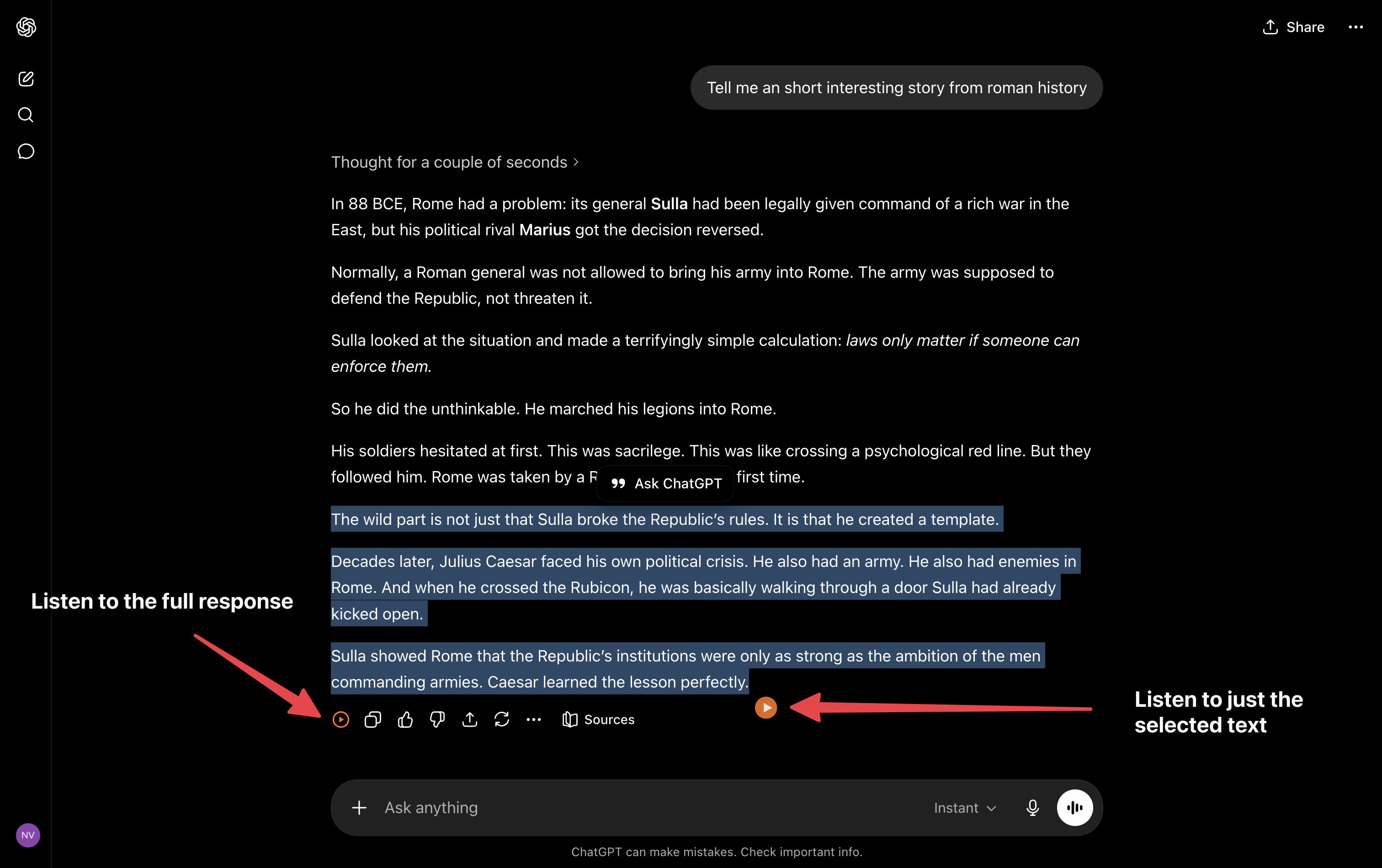
ArticleAudio adds a small play button to ChatGPT responses, so long answers, explanations, and summaries become natural audio.
 Add to Chrome - It's Free
 1,000 words free. No credit card required.
Not just for ChatGPT
ArticleAudio works across the web
ArticleAudio works on ChatGPT, Claude, Gemini, X (Twitter), email, newsletters, documents, and other text-heavy pages.


Use the same extension when you move from AI answers to articles, docs, and research pages.
ChatGPT response play button screenshot
Response audio
Click Listen on any ChatGPT response
ChatGPT has a built-in listen option inside the response menu. ArticleAudio makes that workflow faster by adding a compact listen button beside ChatGPT's response actions, so the full answer is one click away.
It is useful for long explanations, code walkthroughs, summaries, research notes, and drafts you want to review away from the screen.
How to listen to ChatGPT responses
Once ArticleAudio is installed, listening fits into your normal ChatGPT session.
01
Install ArticleAudio
Add the extension and open ChatGPT in your browser.
02
Ask ChatGPT
Wait for the response to finish generating so the full answer is available.
03
Click play
Use the ArticleAudio button beside the response actions.
04
Start listening
Listen hands-free, or select a smaller section when you only need one part.
Four ways to start ChatGPT audio
Start with the response play button, or use the selection tools when you only want one part of an answer.
Response play button placeholder
01
Response play button
Click the ArticleAudio button added beside ChatGPT response actions to hear that answer without selecting text.
Appears near your selected text when you highlight 30+ words
02
Floating selection button
Select one paragraph, bullet list, or code explanation and use the orange play button near the selection.
 shift +
  tab
tab 03
Shift+Tab shortcut
Use the keyboard shortcut when your hands are already on the keyboard during a ChatGPT session.
04
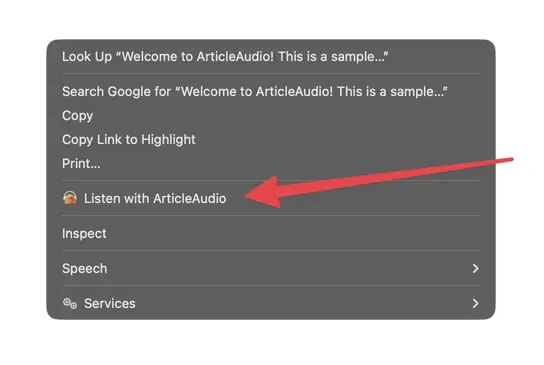
Right-click menu
Use the browser context menu when you prefer a standard menu path for selected text.
Frequently Asked Questions
Does ArticleAudio work with ChatGPT?
Yes. ArticleAudio works on chatgpt.com. It can add a play button to individual ChatGPT responses, and you can also listen to selected text with Shift+Tab or the right-click menu.
Do I need to select the ChatGPT response first?
No. ArticleAudio can add a small play button beside ChatGPT response actions, so the full response is one click away. Use text selection when you only want one paragraph or section.
How does this compare to ChatGPT read-aloud?
ChatGPT has a built-in listen option, but it is tucked inside the response options menu. ArticleAudio adds a visible play button beside the response actions, plus selected-text listening, Shift+Tab, right-click access, and the same controls across other websites.
Does it work with code in ChatGPT responses?
ArticleAudio reads written text. For code-heavy answers, listening to the explanation around the code usually sounds better than reading every symbol aloud.
Can I use this while ChatGPT is generating a response?
It is best to wait until ChatGPT finishes generating. That way the response button includes the complete answer.
Is there a limit on how much I can listen to?
The free tier includes 1,000 words. For unlimited listening to ChatGPT responses and all other content, our premium plan at $6/month is a great value.
Start listening today
Install ArticleAudio and transform how you consume content on the web
 Add to Edge
  Add to Firefox
  Add to Opera