 ArticleAudio
Listen to Wikipedia Articles
Turn any Wikipedia article into natural audio. Learn about any topic while commuting, exercising, or doing chores - no reading required.
 Add to Chrome - It's Free
 1,000 words free. No credit card required.
How it works
Step 1 — Select text
Highlight the sections of the Wikipedia article you want to listen to.
Step 2 — Listen
Use any of these options to start listening:
Option 1
Play button
Appears near your selected text when you highlight 30+ words
Option 2
Keyboard shortcut
 shift +
  tab
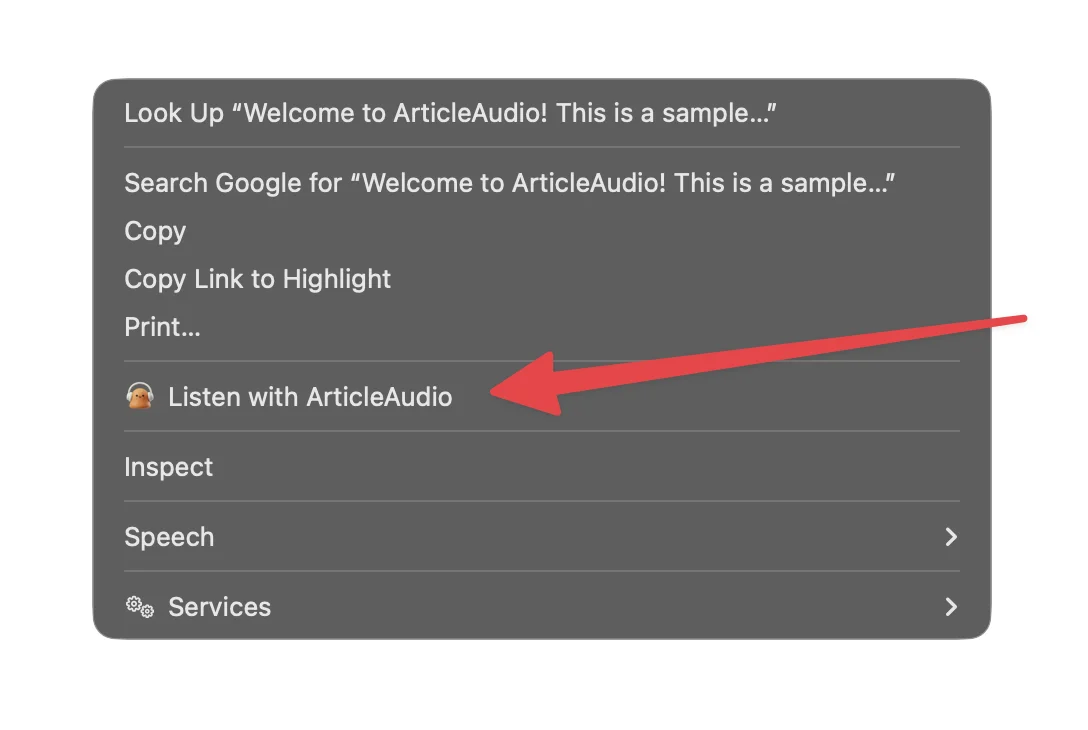
tabOption 3
Right-click menu
The Problem with Reading on Wikipedia
Great content, but not always convenient to read
Articles are incredibly long
Wikipedia articles can be thousands of words. Reading an entire article on a complex topic takes serious time and focus.
Dense, academic writing
Wikipedia's encyclopedic style is thorough but demanding. It's easy to lose focus or need to re-read sections.
Rabbit holes are tempting
One article leads to another. Before you know it, you've got 20 tabs open and hours have passed.
Not ideal for mobile
Long-form reading on a phone screen is uncomfortable. Scrolling through dense text gets tiring fast.
How ArticleAudio Helps
Turn any Wikipedia content into natural-sounding audio
Listen to any Wikipedia article
Turn dense encyclopedia entries into audio. Learn about any topic while doing other things.
Perfect for learning
Absorb information passively while commuting, exercising, or relaxing. Great for students and curious minds.
No more eye strain
Give your eyes a break from screens. Listen to articles instead of staring at walls of text.
Natural AI voices
Our voices handle technical terminology, names, and complex sentences naturally - perfect for Wikipedia's style.
Perfect For
Listen to Wikipedia content in situations where reading isn't practical
Frequently Asked Questions
Does ArticleAudio work on Wikipedia?
Yes! ArticleAudio works on any webpage, including all Wikipedia articles in any language. Just highlight the text you want to hear, press Shift+Tab, and start listening.
Can it handle technical terms and names?
Our AI voices are trained on diverse content and handle technical terminology, scientific names, and foreign words well. They're optimized for Wikipedia's encyclopedic style.
What about articles with lots of citations and references?
You can select just the main text and skip citation numbers. Or listen to everything - our voices handle inline citations naturally without breaking the flow.
Can I listen to articles in other languages?
ArticleAudio primarily supports English text. For non-English Wikipedia articles, results may vary depending on the language.
How do I handle very long articles?
You can select sections at a time, or use Ctrl/Cmd+A to select the entire article. For very long articles, listening section by section often works best.
Is there a free trial?
Yes! You get 1,000 words free when you install ArticleAudio - no credit card required. That's enough to listen to a typical Wikipedia article and experience the quality.
Start listening today
Install ArticleAudio and transform how you consume content on the web
 Add to Edge
  Add to Firefox
  Add to Opera