 ArticleAudio
Listen to Substack Newsletters
Turn any Substack post into natural-sounding audio. Catch up on your favorite newsletters while commuting, exercising, or doing chores.
 Add to Chrome - It's Free
 1,000 words free. No credit card required.
How it works
Step 1 — Select text
Highlight the sections of the Substack post or newsletter you want to listen to.
Step 2 — Listen
Use any of these options to start listening:
Option 1
Play button
Appears near your selected text when you highlight 30+ words
Option 2
Keyboard shortcut
 shift +
  tab
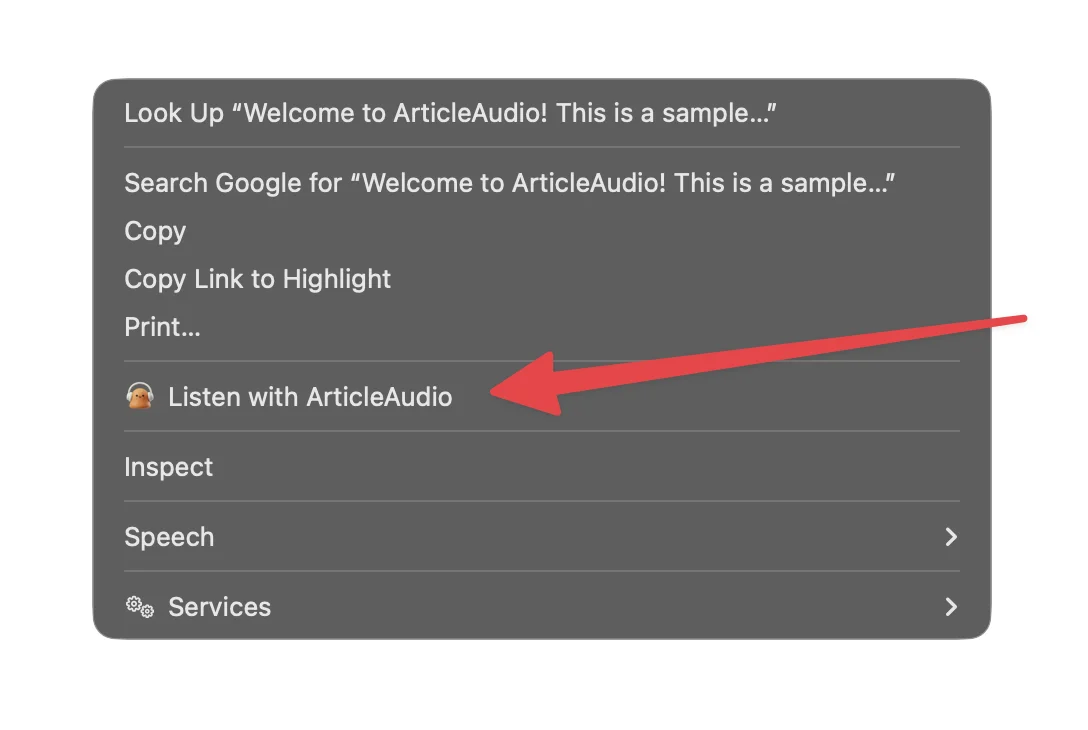
tabOption 3
Right-click menu
The Problem with Reading on Substack
Great content, but not always convenient to read
Not all newsletters have audio
Substack offers creator recordings, but most writers don't record their posts. You're left reading long newsletters on a screen.
Newsletter backlogs pile up
Subscribed to too many newsletters? Your inbox fills up faster than you can read, and great content goes unread.
Screen time fatigue
After a day of work, the last thing you want is more screen time. But you still want to catch up on your favorite writers.
Reading isn't always possible
Commuting, exercising, cooking, cleaning - there are countless moments where reading just isn't practical.
How ArticleAudio Helps
Turn any Substack content into natural-sounding audio
Listen to ANY Substack post
Whether the creator recorded audio or not, ArticleAudio lets you listen to any newsletter with natural AI voices.
Clear your newsletter backlog
Turn downtime into catch-up time. Listen while commuting, exercising, or doing chores.
Give your eyes a break
Reduce screen time without missing content. Just highlight, press Shift+Tab, and listen.
Natural-sounding voices
No robotic text-to-speech here. Our AI voices sound natural and are optimized for long-form reading.
Perfect For
Listen to Substack content in situations where reading isn't practical
Frequently Asked Questions
Does ArticleAudio work with all Substack newsletters?
Yes! ArticleAudio works on any webpage, including all Substack newsletters. Just highlight the text you want to hear, press Shift+Tab, and start listening.
How is this different from Substack's built-in audio?
Substack only offers audio when creators manually record their posts - most don't. ArticleAudio uses AI to convert any newsletter to audio, so you're never stuck reading.
Will it work with paid/subscriber-only Substack posts?
Yes! If you can see the content in your browser (i.e., you're logged in and subscribed), ArticleAudio can read it aloud. We don't bypass paywalls - we just read what's visible on your screen.
How natural does the voice sound?
We use state-of-the-art AI voices that sound remarkably natural. They're optimized for long-form reading, so you can listen to entire newsletters without fatigue.
Can I control playback speed?
Absolutely. Speed up to 2x to power through your backlog, or slow down for complex content. You have full control over playback.
Is there a free trial?
Yes! You get 1,000 words free when you install ArticleAudio - no credit card required. That's enough to listen to several newsletters and experience the quality firsthand.
Start listening today
Install ArticleAudio and transform how you consume content on the web
 Add to Edge
  Add to Firefox
  Add to Opera