 ArticleAudio
Start without committing to the whole page
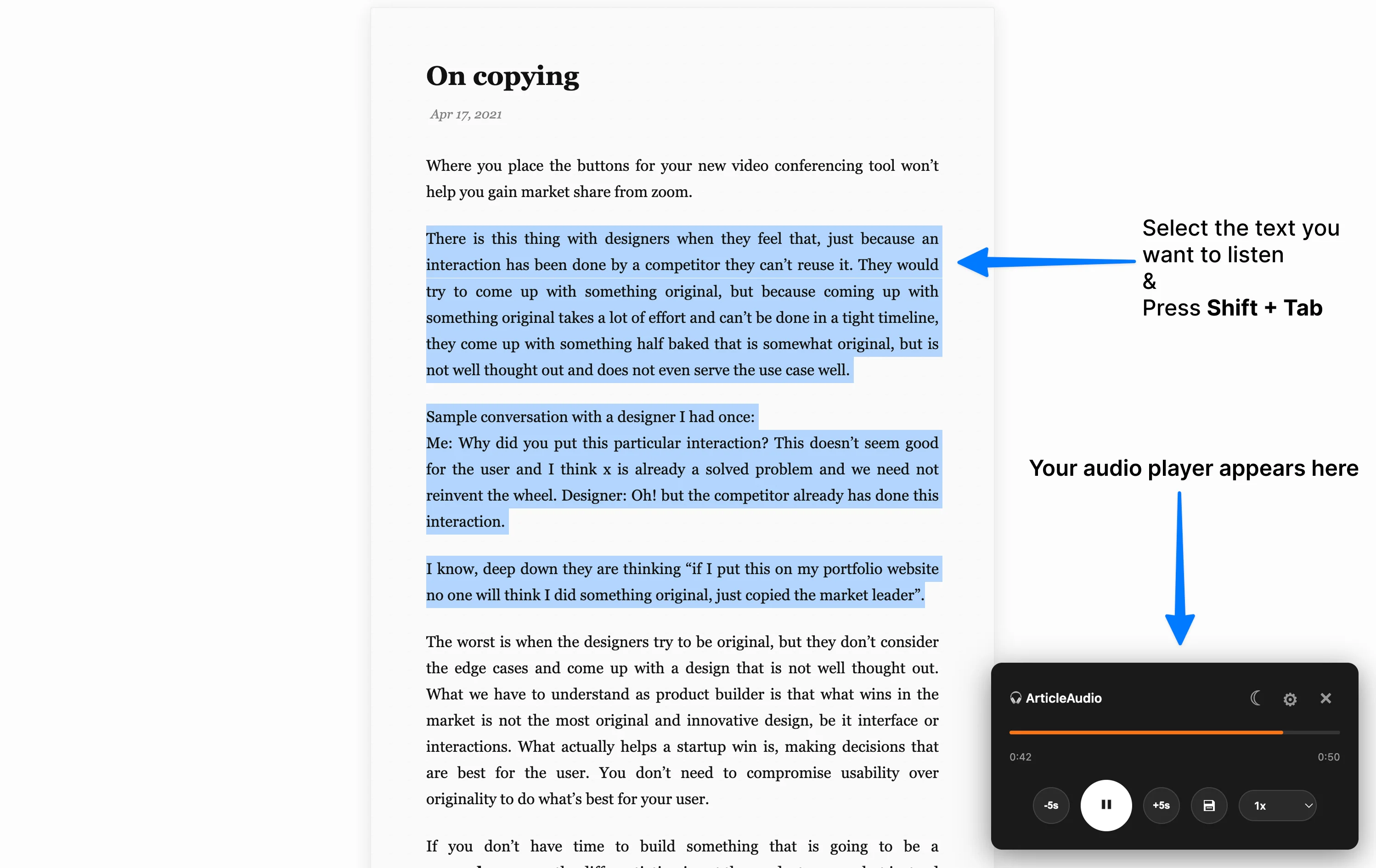
Press play for a first pass, or select one section when the complete article feels too large to begin.
Turn a long webpage into a clear listening session. Start with the full page, narrow the task to one passage, and reset without losing your place.
1,000 words free · No credit card
Long pages can feel open-ended: there is no obvious starting point, attention drifts, and rereading adds friction. Audio gives the task a beginning and a pace. You can listen for the shape of the argument first, then return visually to the parts that deserve closer attention.
ArticleAudio changes the reading mode. It does not diagnose, treat, or replace professional support.
Text-to-speech is useful when the obstacle is starting, staying with prose, or returning after attention moves elsewhere.
Press play for a first pass, or select one section when the complete article feels too large to begin.
A steady voice can make prose feel more linear than repeatedly finding your place on screen.
Pause, replay five seconds, change speed, or stop at the end of a section instead of treating drift as failure.
Listen on articles, documentation, newsletters, research pages, and AI chats without copying everything into another app.
The goal is not to optimize every session. It is to make the next action clear enough that you can begin and recover.
Use the full page for a preview, or select one section when a smaller target is easier to hold.
Use audio as the entry point instead of waiting until you feel ready to read everything visually.
Pause for one main idea, question, quote, or action so the session does not become background noise.
Continue, replay, switch back to visual reading, or stop. Make the next choice visible.
Hear the main argument before deciding which sections deserve close reading or notes.
Listen to the sequence once, then return visually for deadlines, checkboxes, and exact requirements.
Use audio for prose and switch modes for code, formulas, diagrams, or tables.
Hear repetition, missing context, or sentences that looked fine but sound difficult.
Audio is another reading mode, not the correct mode for every part of a page. The strongest workflow switches deliberately.
It can provide an alternative way to work through prose, especially when starting or staying with a long page is difficult. It will not help every person or every task, and it is not a treatment for ADHD.
No. Use the ArticleAudio popup for supported full-page listening. Select a passage when you intentionally want a smaller scope.
Use the speed that keeps the content understandable. Some people prefer slightly faster audio for familiar prose and slower playback for dense or unfamiliar material.
Yes. It works well for prose in articles, documentation, newsletters, research pages, instructions, and drafts. Always return to the visual source when exact wording or layout matters.
One real page will tell you more than a feature list.
 Add to Chrome