 ArticleAudio
Preview before class
Listen for the main argument, names, dates, and unfamiliar terms before deciding where to annotate.
Turn articles, research tabs, study guides, and drafts into audio. Preview the whole page, slow down for one passage, and keep your notes beside the source.
1,000 words free · No credit card
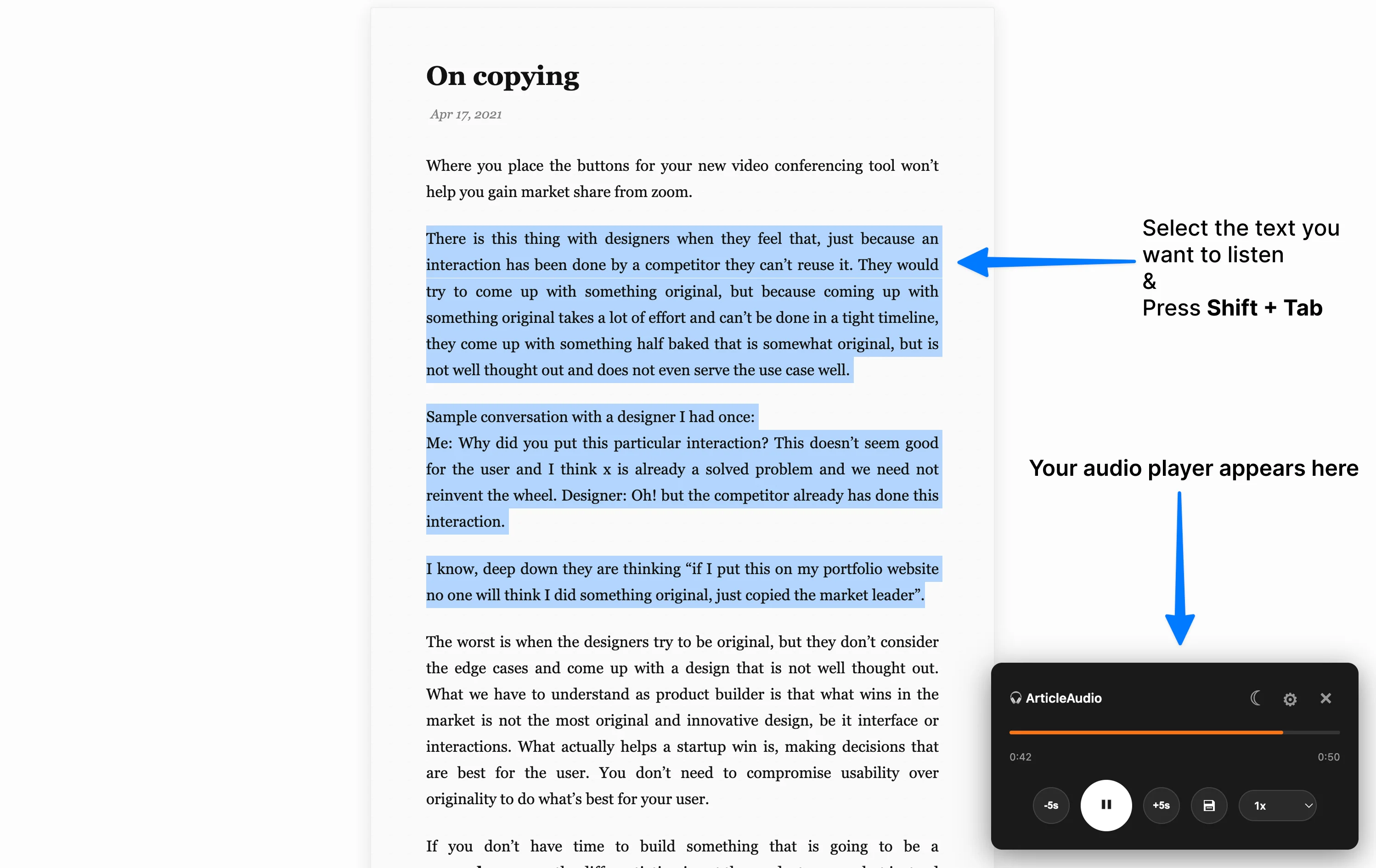
A week of coursework can mean research links, course pages, newsletters, documentation, notes, and drafts. ArticleAudio reads where that work already lives, so a first pass does not begin with another upload or copy-and-paste workflow.
ArticleAudio changes the reading mode. It does not diagnose, treat, or replace professional support.
The strongest student workflow combines listening and visual reading instead of forcing every assignment into one mode.
Listen for the main argument, names, dates, and unfamiliar terms before deciding where to annotate.
Hear introductions, abstracts, and conclusions before spending time on a source that may not answer your question.
Revisit prose while walking, commuting, cleaning, or giving your eyes a break after a long day.
Listen to a complete section of your draft to catch repetition, missing context, and sentences that sound too long.
Choose one purpose before you press play. A preview, review, relevance check, and proofreading pass need different attention.
Decide whether this pass is for previewing, reviewing, researching, or proofreading.
Use full-page playback for the shape of the source, then select a passage for closer attention.
Pause when you hear something worth saving, then capture the idea and its location before continuing.
Check exact claims, quotations, citations, formulas, and diagrams before you use them.
Hear the structure of an assigned article before lecture or discussion.
Listen to the most informative sections and keep only sources that belong in the project.
Use audio for prose-heavy notes and switch back for definitions, diagrams, and formulas.
Hear the draft as a reader would, then make precise edits on screen.
Listening is useful for coverage and review. Visual reading remains essential when the exact text, layout, or evidence matters.
Yes, use the extension popup for supported full-page playback. You can also select one passage when you need a smaller or more precise listening session.
ArticleAudio is useful for prose sections such as abstracts, introductions, discussions, and conclusions. Read formulas, tables, charts, citations, and exact claims visually.
Listening can expose repetition, missing context, and awkward sentences. It does not replace a final visual check for grammar, formatting, references, and citations.
ArticleAudio includes 1,000 words free with no credit card required, so you can try it on a real assignment before deciding whether it belongs in your study workflow.
One real page will tell you more than a feature list.
 Add to Chrome